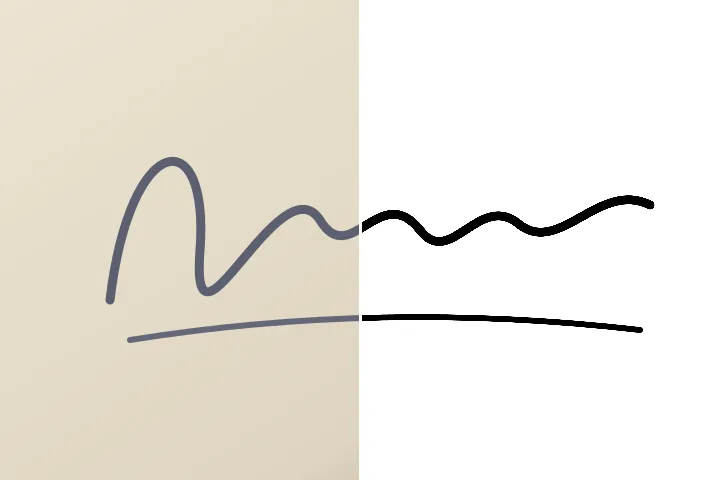
What it does to the scan
Each pixel is measured for how far it sits between the paper and the ink, on the paper's own local brightness. Pixels past the ink cut become the ink colour, pixels before it become white, and a soft band in between keeps the pen stroke's smooth edge. Nothing is drawn that was not in the scan.
The signature is then cropped to its own outline (optional), scaled to fit the form's pixel size, centred on white, and saved as a JPEG inside the form's KB range.
Where it stops
- Lined or patterned paper can leave faint lines; sign on plain white paper and scan again.
- Very faint pencil may fall below the ink cut; move the cut to the right.
- Photographs of people are not handled here; identity photographs must be unaltered.
Questions people bring to this page
Will this turn a signature in blue pen into black ink?
It can make the scanned ink a uniform black or dark blue, but if the form says to sign in black ink, sign in black ink. This cleans up a scan; it does not change what pen you used.
How does it reach the KB range?
The JPEG is saved at the highest quality that fits under the maximum. A clean black-on-white signature often comes out smaller than a form's minimum; with padding on, blank comment bytes are added inside the file until it reaches the minimum — every decoder skips them, so the picture is unchanged. The exact size in KB and bytes is printed after saving.
Where do the form sizes come from?
Each preset names its source and the date it was checked. A size taken from a secondary website is marked “confirm on the official portal”, and any preset more than twelve months old says “check the current notice”. Always check the notice for your form.
What does shadow correction do?
A phone photo of a signature usually has a shadow or a darker corner. Shadow correction measures the paper's own brightness across the picture and divides it out, so a shadow does not turn into ink.
Next door
- Make a photo black and whitePerceptual conversion, red to blue filter looks, a three-point curve and a true greyscale PNG.
- Replace a colourThe dropper armed on open, two swatches, one operation and nothing else to manage.
- Photos you must not editID photographs must be unaltered; what a recolour tool must refuse to promise.
Image data is never posted anywhere: decode, mask, remap and encode all happen inside this tab's memory, and that memory is released when you leave.